

How to Build an Email List From Scratch in 2026
- Apr 8
- 6 min read
Social media comes and goes. Algorithms change overnight, platforms lose popularity, and accounts get restricted or shut down without warning. But your email list? That is something you own completely.
No algorithm decides who sees your emails.
No platform can take your subscribers away from you. Your list is one of the most valuable assets you can build in your online business, and in 2026 it remains one of the highest-converting marketing channels available.
If you have been putting off building your list because you are not sure where to start, this guide is for you.
Why Your Email List Matters More Than Ever
It is tempting to focus all your energy on social media because that is where the visibility feels most immediate. But here is the reality. The average organic reach on Instagram and Facebook is tiny compared to email.
A well-maintained email list typically sees open rates of 20 to 40%, compared to the 1 to 3% organic reach most social posts get.
That means if you have 500 email subscribers, you can reasonably expect 100 to 200 of them to actually see and read what you send. Try getting that kind of reach from a social media post without paying for ads.
Your email list also lets you:
Communicate directly with people who have already said they are interested in what you offer
Promote your products, services, and launches without relying on an algorithm
Build genuine relationships with your audience over time
Create a predictable, repeatable way to generate sales whenever you need them
Step 1: Choose an Email Marketing Platform
Before you can start collecting email addresses you need a platform to store them and send emails from. The good news is there are some excellent free options available, especially when you are just starting out.
Popular platforms worth looking at:
MailerLite — one of the best free options for beginners, clean interface and easy automation
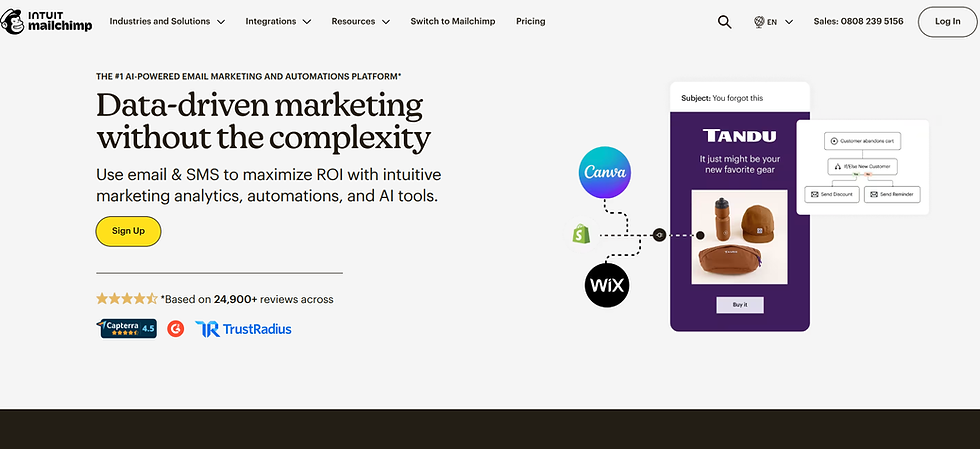
Mailchimp — widely used and beginner-friendly with a generous free plan
Kit — formerly ConvertKit, brilliant for creators and bloggers who want powerful automation
Brevo — great for those who want unlimited contacts on the free plan
Choose one and stick with it. Do not spend weeks comparing platforms. They all do the job well and you can always switch later if you need to.
Step 2: Create a Freebie Worth Signing Up For
Nobody gives away their email address for nothing. If you want people to subscribe, you need to give them a compelling reason to do so. This is where your lead magnet or freebie comes in.
A lead magnet is something you offer for free in exchange for an email address. The best ones are:
Immediately useful and relevant to your audience
Quick to consume, a checklist, template, or short guide works brilliantly
Specific enough to attract the right kind of subscriber rather than everyone
Closely related to what you sell so your subscribers are already warm when you make an offer
Great lead magnet ideas for online business owners:
A checklist for a common problem in your niche
A free template your audience can use straight away
A short guide or mini ebook covering one specific topic
A resource list or toolkit of recommended tools
A free mini email course delivered over a few days

The Online Business Starter Kit includes a full guide on digital product creation which is perfect for helping you put together a lead magnet that your audience will genuinely want to download. Having the right freebie is honestly one of the biggest factors in how quickly your list grows.
Step 3: Set Up a Simple Landing Page
Once you have your freebie ready you need somewhere to send people to actually sign up. This is called a landing page or opt-in page, and it does not need to be complicated.
Your landing page needs:
A clear, compelling headline that tells visitors exactly what they will get
A short description of what is included and why it is useful
A simple sign-up form asking for a name and email address
A button with clear action-focused text like "Send me the free guide" or "Get instant access"
Most email platforms like MailerLite and Kit have built-in landing page builders so you do not need a separate website to get started. You can also create a sign-up page directly on your Wix or WordPress site.
Step 4: Set Up a Welcome Email
When someone signs up for your freebie the first email they receive sets the tone for your entire relationship with them. A warm, friendly welcome email can make a huge difference to how engaged your subscribers are from day one.
Your welcome email should:
Deliver the freebie they signed up for quickly and clearly
Introduce yourself and your business in a genuine, personal way
Tell them what kind of emails they can expect from you and how often
Give them a reason to look forward to hearing from you again
Keep it warm, conversational, and focused on them rather than on you. This is the beginning of a relationship, not a sales pitch.
Step 5: Drive Traffic to Your Sign-Up Page
Once everything is set up your job is to get as many of the right people as possible to your sign-up page. This is where your marketing channels come in.
Ways to promote your freebie and grow your list:
Share it regularly on your social media accounts, not just once but consistently
Pin a post about it to the top of your Instagram and Facebook profiles
Add the link to your Instagram bio, LinkedIn profile, and email signature
Create Pinterest pins linking to your landing page for long-term consistent traffic
Mention it in blog posts and YouTube videos
Include it in any guest posts, podcast appearances, or collaborations you do
Pinterest is particularly powerful for driving email sign-ups because pins have a much longer lifespan than social media posts and keep bringing in traffic for months after you create them.

Step 6: Email Your List Consistently
Growing your list is only half the job. The other half is showing up consistently so your subscribers actually remember who you are and why they signed up in the first place.
You do not need to email every day. But you do need to show up regularly enough that your list stays warm and engaged. Once a week is a great starting point for most online business owners.
Ideas for what to send:
A helpful tip or piece of advice related to your niche
Behind the scenes updates about what you are working on
A blog post or piece of content you have recently published
A personal story with a lesson or insight attached
Exclusive offers or early access to your products for subscribers only
The key is to make your emails genuinely worth reading. When people look forward to hearing from you, they open your emails, click your links, and buy what you recommend.
Step 7: Introduce Your Products Naturally
Once your subscribers have had a few emails from you and they know and trust what you share, you can start introducing your paid offers. The best way to do this is naturally and helpfully rather than in a salesy or pushy way.
Think about how your product genuinely solves a problem your subscriber is facing, and frame it in that context. When the recommendation feels like a natural next step rather than a sudden sales pitch, conversions are so much higher.
The Digital Marketing Starter Kit covers email list building alongside SEO, copywriting, and social media in one beginner-friendly bundle, giving you the full picture of how to attract the right audience and turn them into paying customers with confidence.
Final Thoughts
Building an email list from scratch takes a little time and consistency to get going, but the payoff is genuinely worth it. Every subscriber you add is someone who has actively chosen to hear from you, and that kind of audience is incredibly valuable for any online business.
Start today. Pick your platform, create a simple freebie, share it everywhere, and show up consistently in your subscribers' inboxes. The list you build now will become one of the most reliable income-generating assets in your business for years to come.


Comments